
Introducing Per-Table Warehouse Scheduling
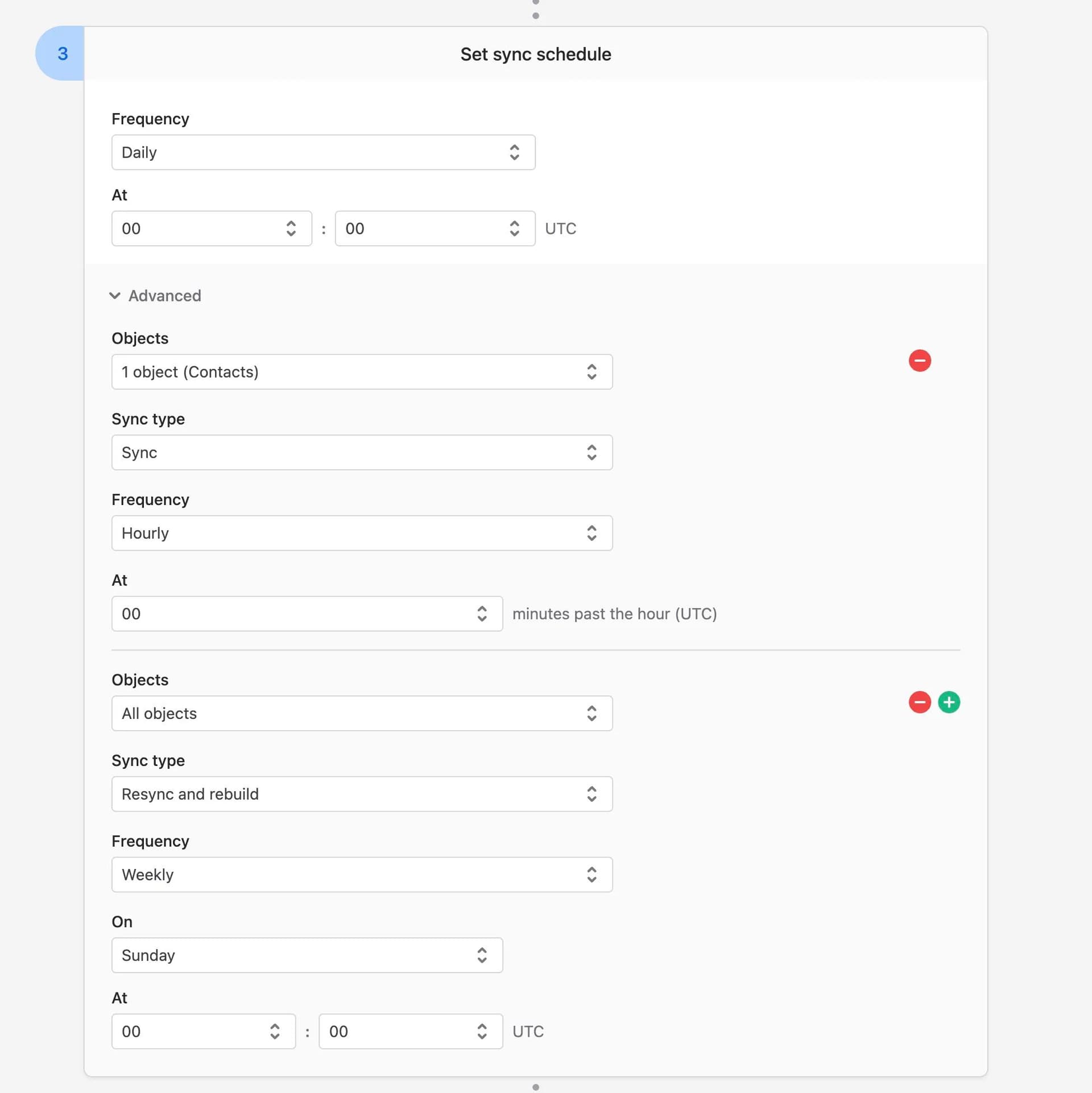
When syncing to your data warehouse (which you can do with our Bulk Syncs feature), you can now specify multiple schedules for the same sync.
These extra schedules are maximally flexible. For example, when syncing to your data warehouse from any source (e.g. your production database, Salesforce, etc), you can now do the following:
- Sync all tables on a daily schedule.
- But also specify that two particular tables run every five minutes...
- ...and run a full resync-and-rebuild every Sunday at midnight.
You can add extra schedules to your Bulk Sync by simply clicking a button in the new Advanced section under your default schedule. See documentation here: https://docs.polytomic.com/docs/bulk-sync-multiple-schedules.
Polytomic Connect
For those using Polytomic Connect, you need to upgrade to our 2025-09-18 API to access this. This is a breaking upgrade that has two new arguments on the Bulk Sync configuration: default_schedule and additional_schedules (docs here).
As always, questions and comments are welcome! Email support@polytomic.com anytime.