What is a Company Brain, and How Do You Get it Right?

What is a Company Brain, and How Do You Get it Right?
A company’s knowledge rarely lives in one place. Customer records sit in the CRM, forecasts live in spreadsheets, and product decisions are spread across documents and conversations. When someone needs to answer a business question or prepare a report, they often have to piece together information from several of these sources, figure out whether it is current, and understand how to interpret it. Without this work, even an AI application cannot deliver reliable outputs.
This is why people are building “company brains.” A company brain serves as an updated central collection of information from around the company. AI agents and employees can consult this shared resource to answer questions and complete tasks.
But collecting and consolidating information is only part of the job. A useful company brain also needs current data, clear context, and access that is appropriate for each user’s role; otherwise it can quickly become obsolete or dangerous.
What Exactly is a Company Brain?
A company brain is a shared collection of internal knowledge that AI agents and employees can consult. It contains updated information about the business and the context needed to understand it.
That information can come from spreadsheets, documents, databases, and business applications. It might include customer records, product usage, financial figures, and internal documents. The context provides business logic, procedures, and guidance for using the information correctly. It could explain how the company defines an “active customer,” which figures to use when reporting revenue, or which product features are available to different plans.
Users can query the company brain directly through AI applications like Claude or ChatGPT instead of going to the original sources and compiling the data manually. They can also ask an AI agent to complete a task, and the agent can consult the company brain for the data and guidance it needs.
What is a Team Brain?
A “team brain” applies the same concept to a narrower scope. Instead of compiling information from across the company, a team brain consolidates information that is relevant to a particular team.
A marketing brain might contain information about customer segments, campaign results, and messaging guidance. Meanwhile, a finance brain might contain information about billing records, forecasts, and reporting definitions.
The scope determines what information should be in the brain, as well as who should have access. This helps keep sensitive information in a more controlled environment, while still making it accessible.
Why Are Company Brains Useful?
A company brain allows employees and AI agents to quickly and easily access the full breadth of updated information across a company. People can get answers without navigating sources manually, and AI agents can draw on updated company data and guidance to complete useful work.
Spend Less Time Gathering and Interpreting Information
Answering a business question often means digging through several sources, checking which ones to trust, and trying to understand various fields and metrics. The question itself may be simple, but gathering and interpreting all the relevant data can take a disproportionate amount of work.
A company brain makes it easy to access the relevant records and context, so an AI agent can use them to answer a question without requiring the user to collect and investigate each piece of information. Employees can therefor spend more time evaluating the answer and deciding what to do with it.
Ground AI Outputs in Updated Company Knowledge
An AI application can write a report or campaign brief, but the result is more useful when it reflects the company’s current customers, products, and priorities. Without that grounding, employees have to supply the missing details or revise a draft built on assumptions.
A company brain gives AI agents updated internal information and guidance to draw on while they work. This means that AI outputs won’t be based on stale data or messaging, allowing employees to focus on analysis and recommendations rather than correcting facts.
Give Colleagues Shared Context
Some company knowledge is only known to a few people. One person knows how a metric is calculated, another understands why a process changed, and a third can explain an exception to a customer policy. Colleagues depend on those people to fill in the gaps, while AI agents may miss that context entirely. For example, if the marketing teams needs to create positioning around an upcoming feature, they may rely on the engineering team to explain what changed and what it means for customers.
A company brain makes definitions, procedures, and explanations available to people with the appropriate access. Employees and their AI agents can work from a shared understanding of the business, even if they work in completely different siloes.
This also reduces dependence on individual experts. New employees can onboard faster, and colleagues can get on the same page without waiting on someone to explain everything. When changes are made to the foundational information, updating the company brain keeps everyone aligned with minimal effort.
How Can You Use a Company Brain?
The information and context in a company or team brain can support different types of work across the business. Here are a few examples of how employees could take advantage of a company brain.
Sales: Prepare for a Renewal Conversation
Before a renewal meeting, a salesperson needs to understand an account’s history. The CRM may contain the contract details, but product usage, support issues, and notes from customer success conversations can tell a fuller story.
A sales team brain can bring this information together with guidance on how the company evaluates adoption and renewal risk. The salesperson could ask their AI application:
The AI agent can consult the available account information and apply the documented guidelines to prepare the brief. The salesperson gets a clearer starting point for their conversation, and they don’t have to review each source separately.
Marketing: Create a Campaign Around a Product Update
A product update requires marketing to understand what’s changed, who benefits, and how to explain it. The engineering team may have release notes describing the updates, but planning a campaign also requires customer context and the latest company-wide messaging guidance.
A marketing team brain can make all of these sources available together. A marketer could then ask their AI agent:
The AI agent can use the documented product changes, customer information, and writing guidance to prepare a brief. Marketing can then go straight to reviewing the positioning and proposed copy without having to gather materials.
Finance: Explain Changes in Revenue
Explaining a change in revenue requires more than comparing two totals. Finance may need to identify new customers, expansions, cancellations, and billing adjustments, then apply internal rules for classifying each change.
A finance team brain could have the relevant billing and account records along with reporting definitions. A financial analyst could ask their AI application:
The AI agent can use the records and definitions to prepare a breakdown and draft commentary for review. The analyst can focus on checking the explanation rather than manually assembling the figures and explaining the classification rules.
Customer Support: Answer Questions With Account Context
A customer’s question may depend on more than the product documentation. The support team might also need to know which plan the customer uses, whether a feature is enabled for their account, and what new engineering updates might affect them.
A support team brain can combine that account information with current documentation and troubleshooting procedures. A support representative could ask their AI application:
The AI agent can consult the relevant records and guidance to draft an answer specific to the customer’s situation. The support representative can review it before sending, without needing to switch between systems or ask other teams for information.
Common Mistakes When Building a Company Brain
The examples above depend on a company brain with information that is relevant, clearly explained, and automatically updated. Simply collecting internal information does not guarantee useful answers. What goes into the brain, how it is explained, and who can use it all affect the results.
Including Irrelevant Data
It can be tempting to give a company brain access to every available source. But extra information gives an AI agent more material to search and more opportunities to select an inappropriate source.
A defunct table created for a one-off analysis, for example, might not need to be included. Similarly, expired positioning would probably be unhelpful. Unnecessary sources like this can slow down responses, increase token consumption, and lead to inaccurate responses.
The scope should be tied to the work the brain is meant to support. Selecting relevant records, fields, and documents gives AI agents a clearer basis for answering questions and completing tasks.
Giving Everyone Access to Everything
Making company knowledge easily accessible does not mean making everything accessible to everyone. The marketing team may need customer segments from the sales team and product documentation from the engineering team, but they don’t need to see employee compensation records or contract terms.
If all proprietary company data sits in one broadly accessible brain, an AI agent could surface sensitive details while answering questions. Access needs to reflect the intended audience: a team brain can contain selected information from other departments without exposing everything from those departments.
Strict controls are necessary to determine which users, based on scope of work and seniority, have access to which information.
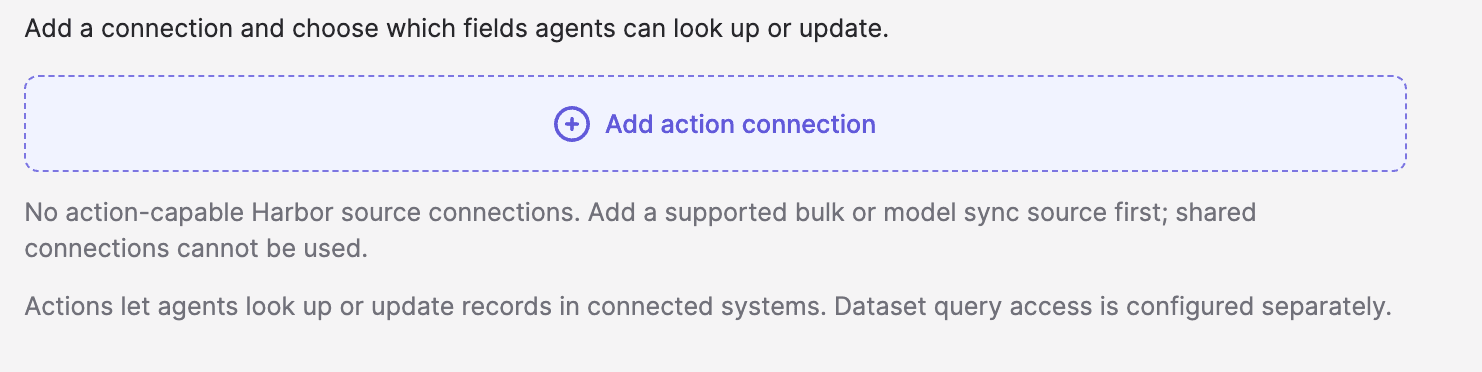
If a company brain also enables AI agents to take action in connected systems, write access should be defined separately from read access. Specify which systems, objects, and fields an agent can update, and enable only the actions needed for its work.
Relying on One-Time Exports
A company brain built from one-time exports begins falling behind as soon as its sources change. Customers upgrade their plans, forecasts are revised, and product features evolve.
The problem can be difficult to spot because the information was accurate when it was collected. Over time, though, the data grows stale and AI agent outputs become increasingly disconnected from reality.
Automatic data syncs keep the brain aligned with its sources without requiring manual uploads of exported data. The brain does not need to refresh every source at the same rate. Sync frequency should reflect how often each source changes and when employees need the latest information.
Adding Data Without Explaining How to Use It
A company brain can contain accurate, current records and still produce misleading answers if the AI agent lacks the context to interpret the information correctly.
A field labeled “revenue,” for example, might represent invoiced revenue, recognized revenue, or recurring revenue. The label alone does not explain which figure belongs in a particular report.
Employees familiar with the business may already know these distinctions. An AI agent needs them documented, along with procedures, exceptions, and pointers about which sources to use.
This context needs to be thorough and well-developed. Clear explanations help agents apply the company’s definitions and follow established procedures, rather than making assumptions or requiring users to submit explanations every time.
Build Your Company Brain with Polytomic Harbor
A company brain consolidates information from across the company, keeps it current, and provides the context to interpret it. A company brain makes that knowledge available to the right people, with clear guardrails on what their AI agents can see and change. With those foundations in place, employees can access company knowledge to answer questions and complete work through their AI applications.
Polytomic Harbor makes it easy to build a company or team brain without running into common issues. Through Polytomic’s no-code interface or MCP server, you can bring together relevant data, add business context, and control access without needing engineering support.
Curate the Data in Each Harbor
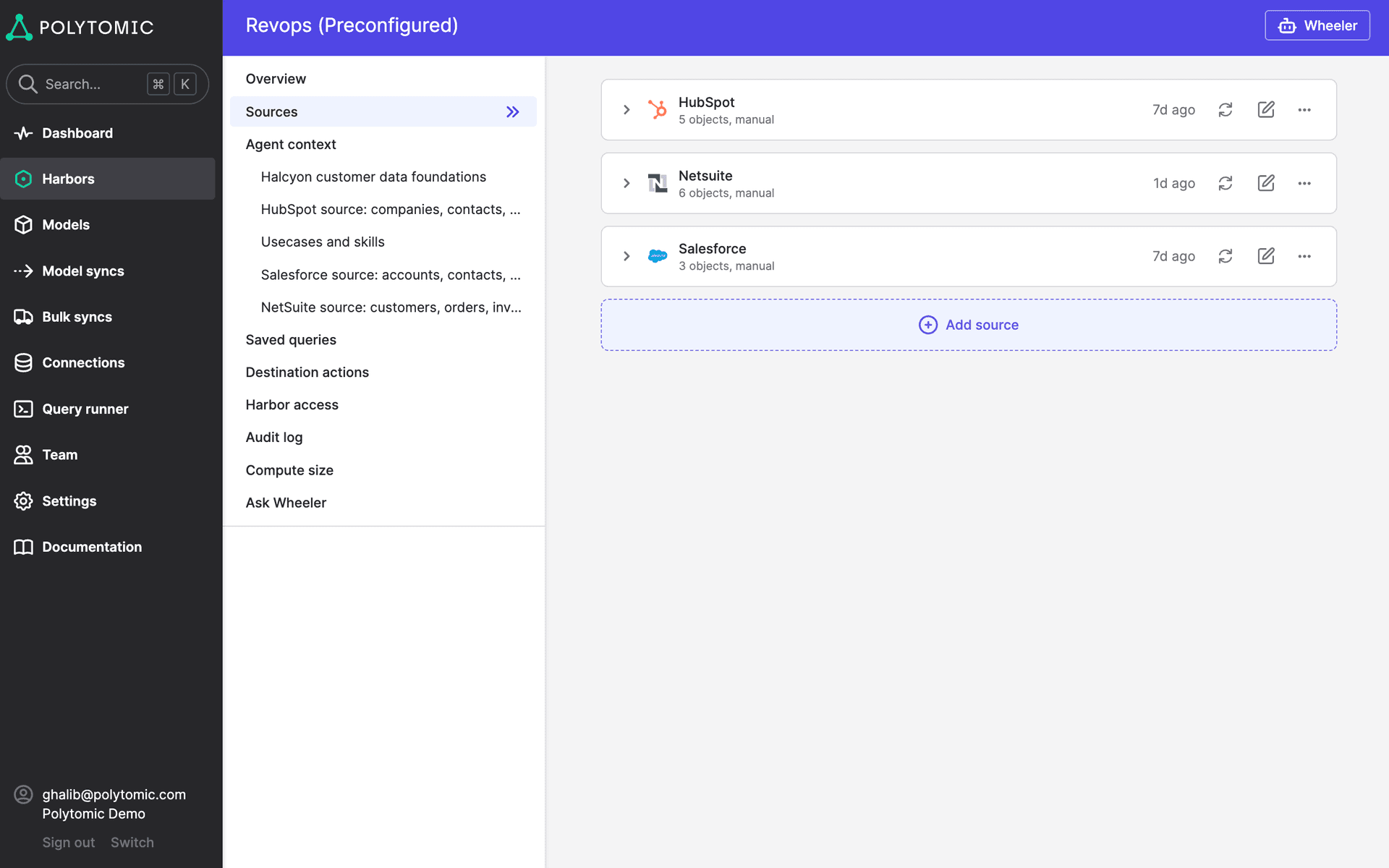
Polytomic Harbor lets you curate the data that goes into each brain. You can bring information from business applications, databases, spreadsheets, and other supported sources. Just select the tables and fields you need and filter records to fit the intended audience.
A sales Harbor, for example, could contain account details, relevant product usage, and support history for a particular region. It can draw on several systems while remaining focused on the work salespeople need to do.
This gives connected AI agents a defined set of relevant information to query and edit. Teams can expand that scope as their needs change, adding sources or fields without exposing the rest of the company’s data.
Control Access and Permitted Actions
Each Harbor is completely isolated, and you can specify which employees and AI agents can connect to it. Connected agents can query the data you choose to include without gaining access to information in other Harbors.
This lets you create company or team brains for different audience. Marketing can access customer and product information, while finance can work with billing records and forecasts in a separate environment. Shared information can be included where it is useful, while sensitive data stays protected.

For workflows that require agents to update connected systems, Harbor also provides governed write actions. You can specify which objects and fields an agent is allowed to change, giving it the ability to complete intended tasks without granting universal edit access.
Keep Data Current With Automatic Syncs
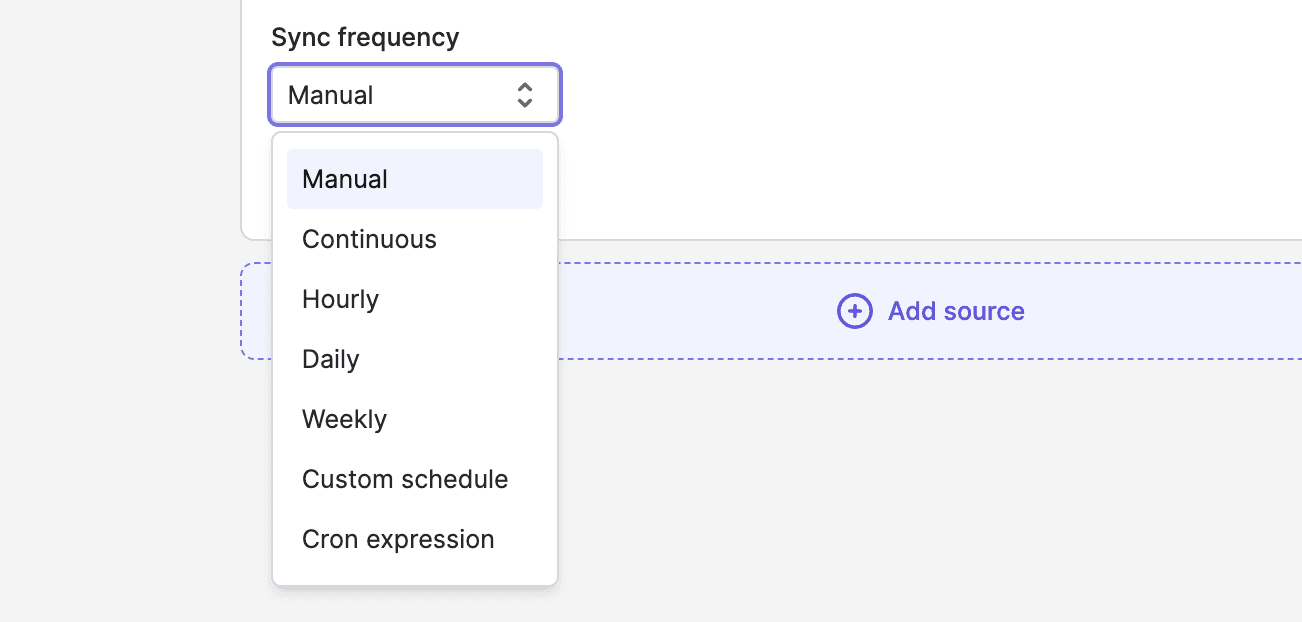
Polytomic’s sync engine keeps the data in each Harbor updated from its connected sources. As customer records, billing figures, or product usage changes, scheduled syncs bring those changes into the company brain automatically.
You can set the sync frequency to suit each source and the work it supports. Data used for daily account reviews can update frequently, while figures needed for a monthly report can refresh on a slower schedule.
This makes it easy to keep the brain updated, so employees and AI agents can use current information without any manual effort.
Provide Guidance for Interpreting Data Through Context Documents
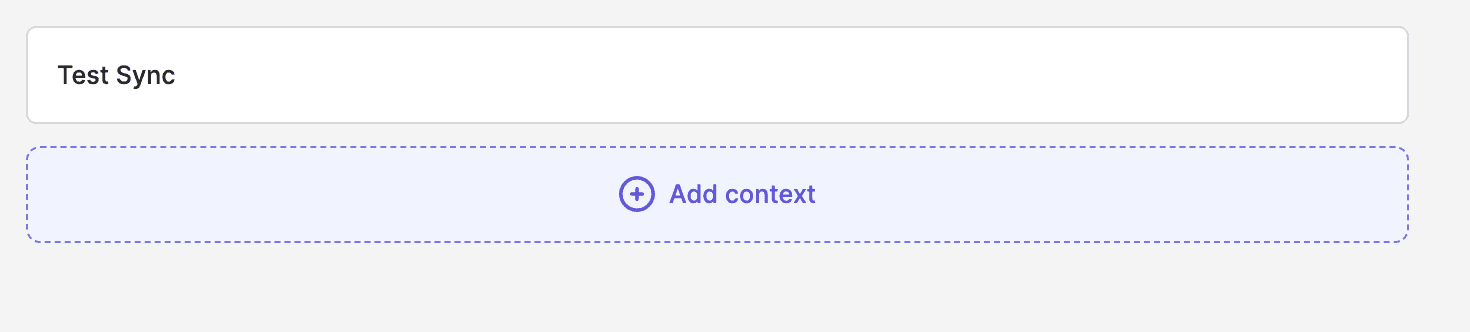
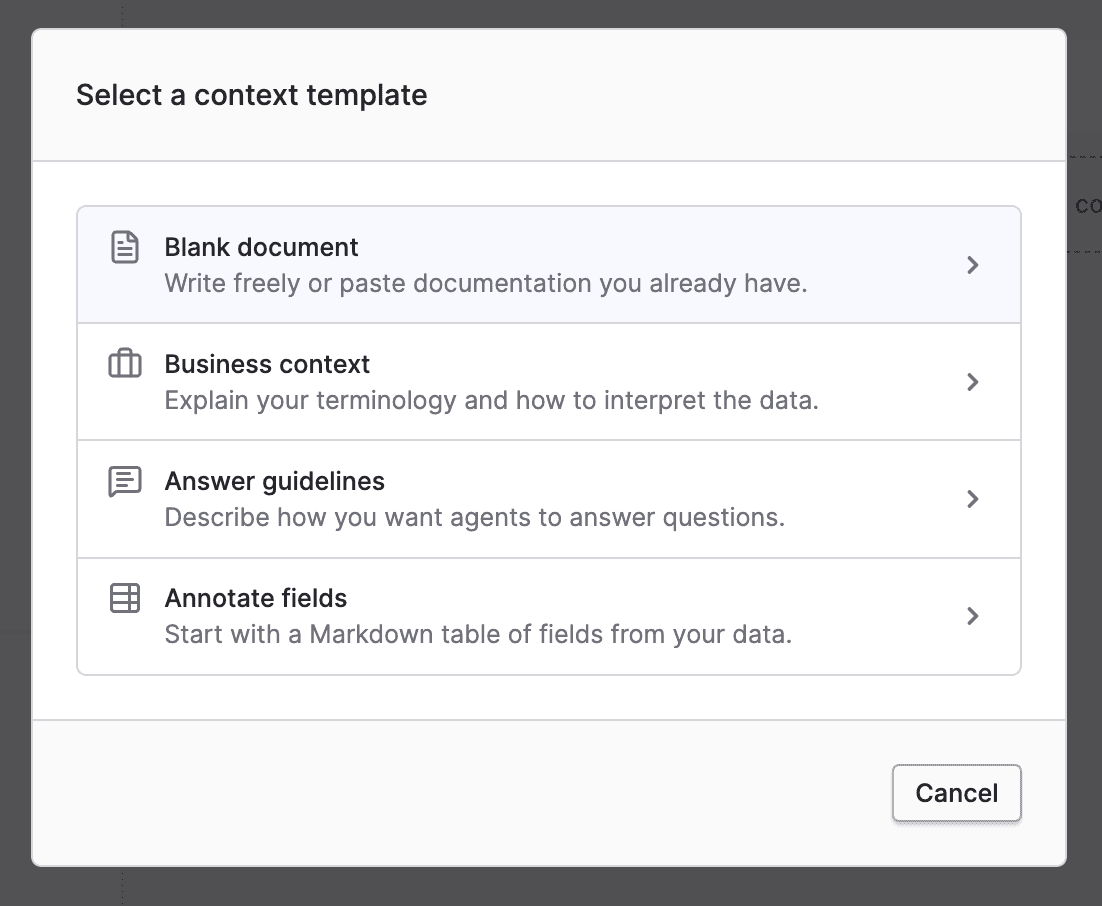
Each Harbor can include context documents written in plain language. These explain the data’s definitions, relevant business logic, procedures, and caveats so AI agents have guidance on how to use the information.
All AI agents connected to a Harbor receive its context automatically. Employees can query the same company brain through different AI applications while their agents draw on the same guidance.
Set Up and Use Your Company Brain Without Relying on Engineering
Polytomic’s no-code interface makes it easy to spin up Harbors without assistance from engineering teams. You can configure Harbors through the Polytomic interface or by using the Polytomic MCP server.
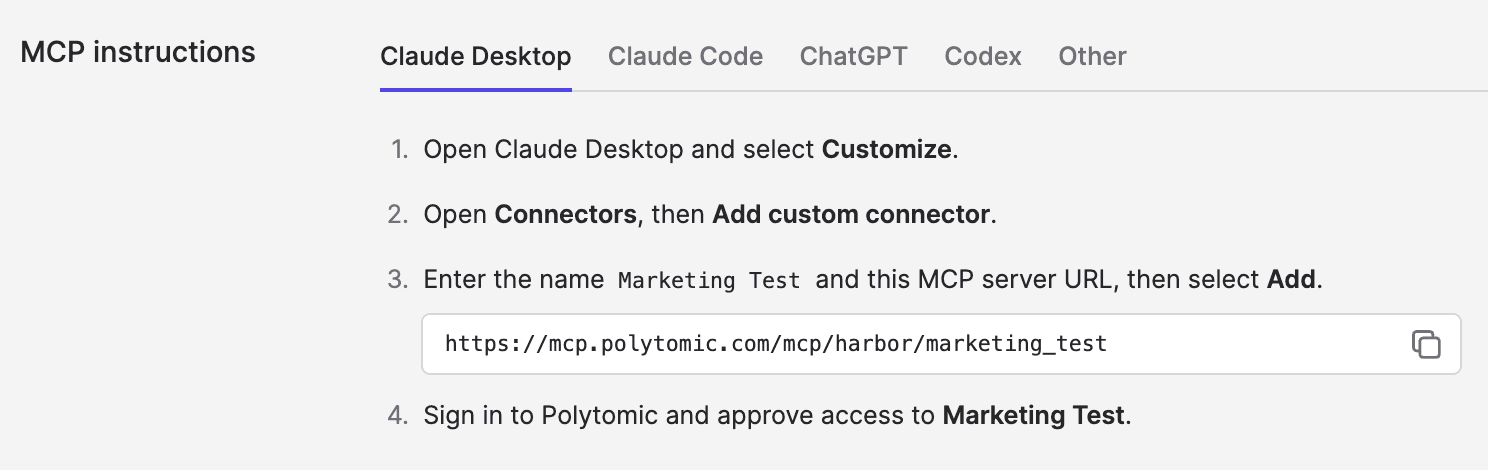
Each Harbor comes with its own MCP server. Once authorized employees connect through an MCP-compatible application such as Claude or ChatGPT, they can ask questions and request permitted actions through that application.
Ready to Create Your Company Brain? Get Started With Polytomic Harbor
A company brain helps employees and AI agents access internal knowledge to answer questions and complete work. While a company brain can be very useful, its value depends on keeping data relevant, current, and explainable. Without the proper foundations and guardrails, company brains can produce misleading answers or expose sensitive data.
Polytomic Harbor simplifies the data syncing, context, and access management behind a company brain, so that employees can put company knowledge to work through their AI applications.
Book a demo to see how Polytomic Harbor can help you build a company or team brain.