What’s Holding Back AI Enablement?

What’s Holding Back AI Enablement?
An employee wants to use an AI agent to prepare for a customer meeting, explain a change in revenue, or investigate a support issue. To do that well, the agent needs information from the company’s systems. It also needs to understand what that information means and have permission to use it.
Making this possible raises questions that can be difficult to answer. Who will connect the systems and keep the data updated? How will the agent know which sources and definitions to use? What information should it be allowed to see, and what should it be allowed to change?
These questions can leave companies stuck. Employees see useful ways to work with AI agents, but the organization has yet to establish a consistent environment that can be trusted. Progress depends on engineering work, confidence in the available information, and agreement on the boundaries of agent access.
Addressing these roadblocks is an important part of AI enablement. Companies need a way to give agents relevant, updated information and the context to interpret it, while retaining control over what those agents can see and do.
Common Roadblocks for AI Enablement
AI enablement means giving employees and their AI agents the information, context, and permissions they need to do useful work. For a company, this also means deciding how that access will be governed and maintained as more teams begin using it.
Unreliable Outputs Due to Incorrect Data or Incomplete Context
An AI agent can have access to company information and still give misleading answers.
One common reason for this is making AI agents rely on one-time exports. The problem can be difficult to spot because the information was accurate when it was collected. Over time, though, the data grows stale as customer records change, product features evolve, and forecasts are revised. This gap causes agent outputs to become increasingly disconnected from reality.
AI agents can also select the wrong source when given access to too much information. If given full access to a warehouse, an AI agent may draw on obsolete tables, duplicate datasets, or records created for a one-off analysis and produce an answer that does not reflect the information the company actually uses.
Even with current, relevant data, AI agents can still produce misleading answers if there isn’t enough context to interpret the information correctly. A field labeled “revenue,” for example, might represent invoiced revenue, recognized revenue, or recurring revenue. An employee familiar with the business may know which figure belongs in a report, but an agent needs that distinction explained.
Difficulty Governing Agent Access and Actions
Companies need clear boundaries around which information AI agents can retrieve, what changes they can make, and who is authorized to use them. Without these confines, they may hesitate to enable workflows that would otherwise be useful.
Different employees need different information. A support team may need customer plan details and product usage, but not employee compensation records or financial forecasts. Connecting AI agents to a broadly accessible environment can expose information beyond what their users need for work.
Permission to access information also needs to be distinguished from permission to change it. An AI agent may need to consult an account’s contract details while updating a support status, but it should not be allowed to modify the contract. Instructions telling agents what to avoid are helpful, but insufficient on their own.
Companies also need visibility into how agents use the access they receive. If an agent retrieves information or changes a record, administrators should be able to review that activity and investigate unexpected behavior.
Increased Burden on Engineering
Giving AI agents access to company information requires someone to connect the source systems, make the relevant data available, keep it updated, and configure access. When this requires custom development, companies depend on engineering or data teams to build and maintain the supporting infrastructure.
A support team, for example, might want agents to consult customer records, product usage, and support history. Bringing that information together could require several connections, recurring data updates, and a way for authorized employees to query it through their AI agent. Engineering also has to fit this work around other priorities, which can lead to significant delays.
The work continues after setup. A team needs another source, a new field, or a different update schedule. More employees want access, and other departments develop their own use cases. If each change requires engineering involvement, expanding AI use creates a growing maintenance burden.
How Polytomic Harbors Help Companies Put AI Agents to Work
Companies need a governed environment where AI agents can work with internal information. Setup and maintenance also need to be simple so that supporting AI workflows does not become an ongoing engineering project.
Polytomic Harbors provide governed data environments for AI agents. You choose which information from your company’s systems goes into every Harbor, add context that helps agents interpret it, control who can connect, and define which actions are permitted. Employees can then use that environment through AI agents such as Claude or ChatGPT.
As needs change, teams can add sources, adjust the available data, and manage access through Polytomic. This lets them support new workflows while reducing the setup and maintenance work that would otherwise fall to engineering.
Curate the Data in Every Harbor
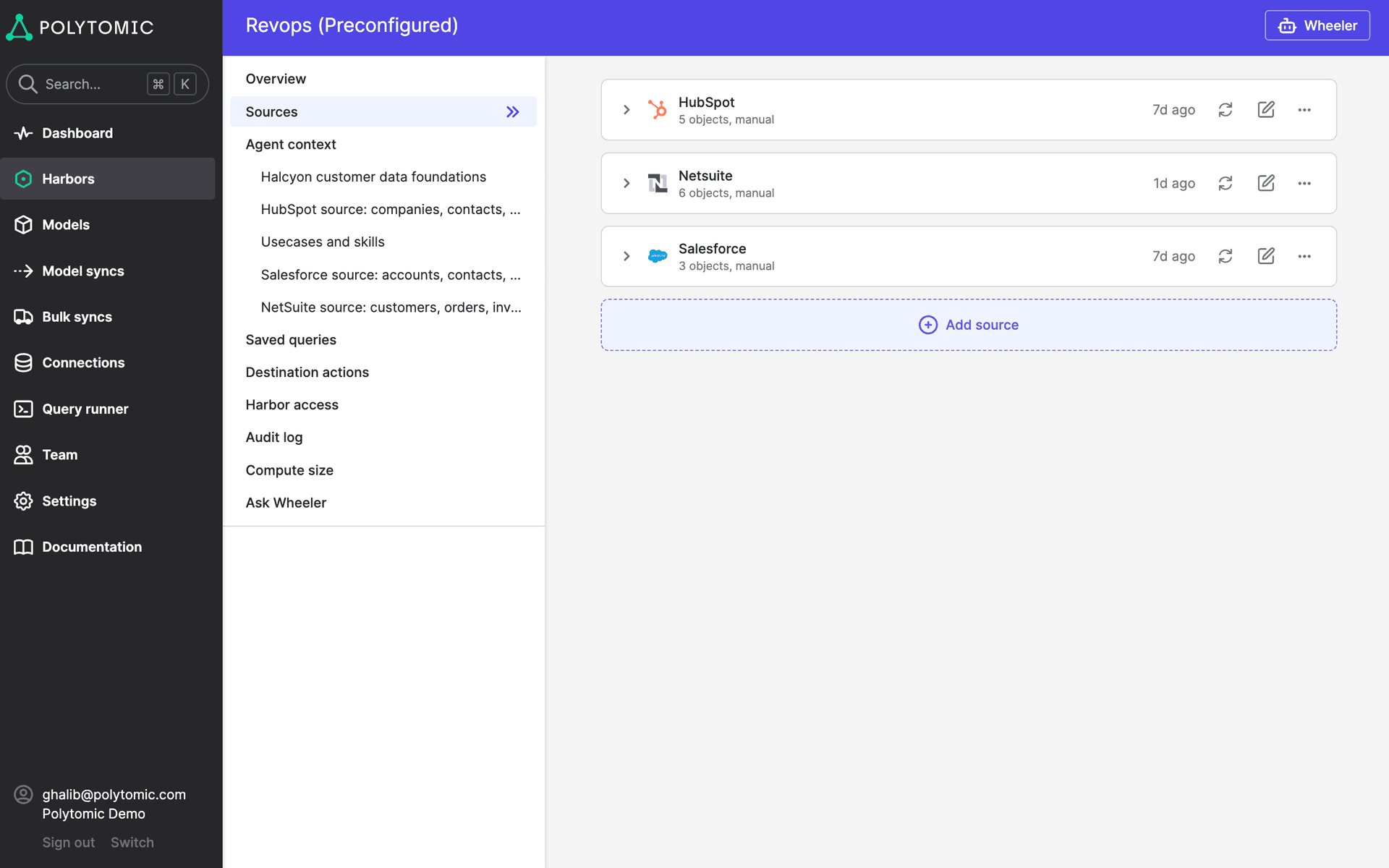
Polytomic Harbors let you choose which information AI agents can query from business applications, databases, data warehouses, spreadsheets, and other supported sources. You select the tables and fields to include and filter records to fit the work the Harbor supports.
A sales Harbor, for example, could contain account details, call transcripts, relevant product usage, and support history for a particular region. It can draw on several systems while remaining focused on the work salespeople need to do.
Curating this data reduces the chance of agents relying on obsolete tables, irrelevant records, or sources that were never intended for their task. As needs evolve, teams can add sources or fields while keeping the available information deliberately scoped.
Control Access and Permitted Actions
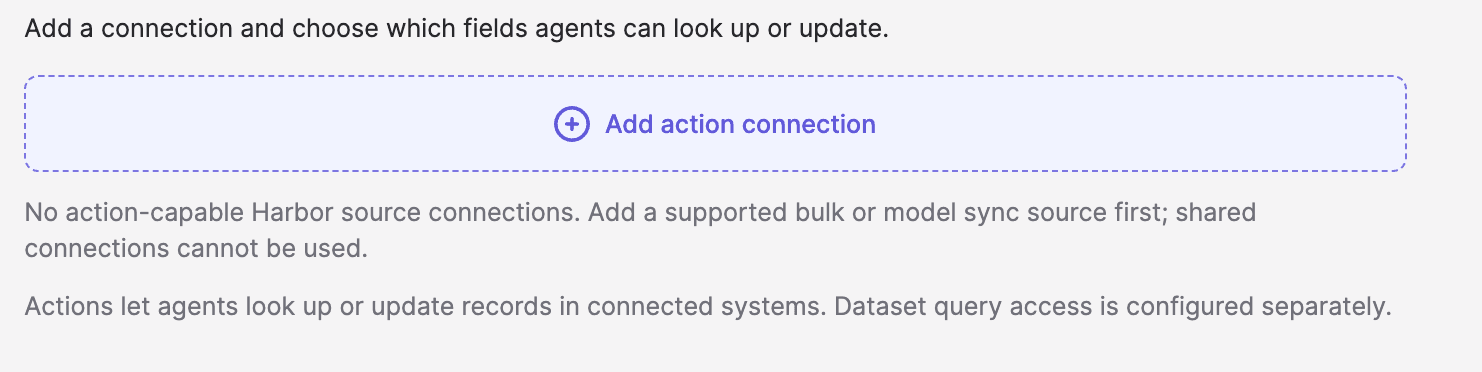
Every Harbor is completely isolated, and you can specify which employees and AI agents can connect to it. Connected agents can query the data you choose to include without gaining access to information in other Harbors.
This lets you create environments for different teams or audiences, each containing the information appropriate to their work. Marketing can access customer and product information, while finance can work with billing records and forecasts in a separate environment. Shared information can be included where it is useful, while sensitive data stays protected.

For workflows that require agents to update connected systems, Harbors also provide governed write actions. You can specify which objects and fields an agent is allowed to change, giving it the ability to complete intended tasks without granting universal edit access.
Keep Data Current With Automatic Syncs
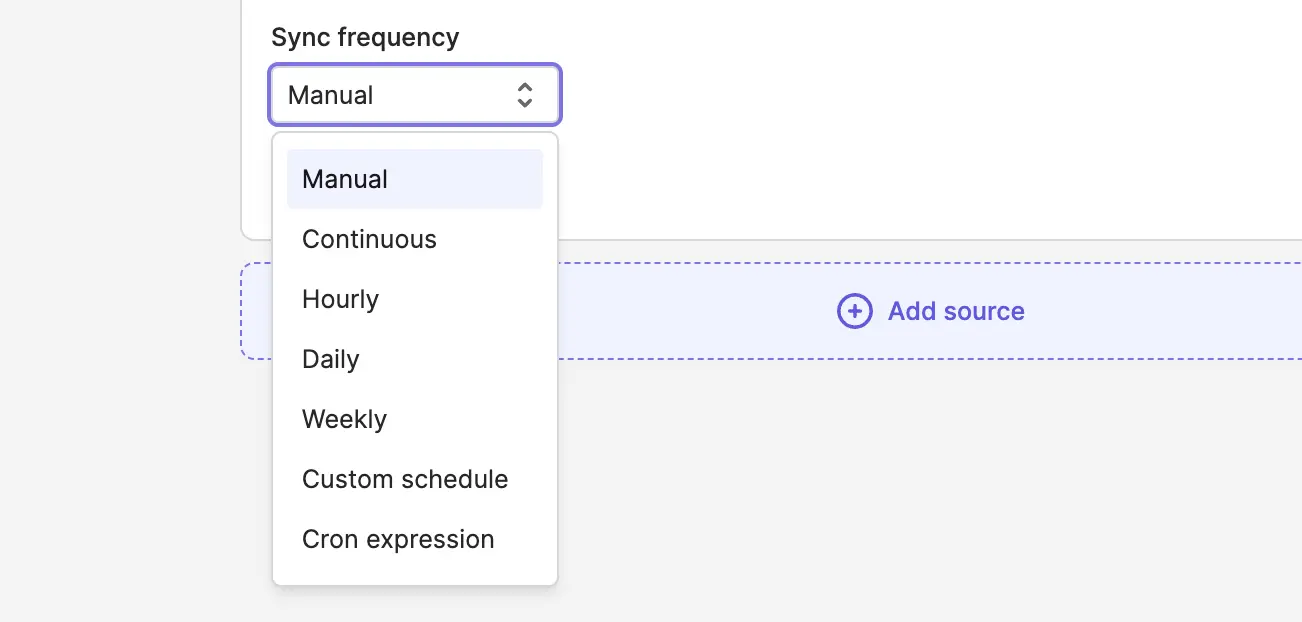
Polytomic’s sync engine keeps the data in every Harbor updated from its connected sources. As customer records, billing figures, or product usage changes, scheduled syncs bring those changes into the Harbor automatically.
You can set the sync frequency to suit each source and the work it supports. Data used for daily operational decisions may need frequent updates, while information used for a monthly report can refresh less often.
This means that employees and AI agents can use current information without any manual effort.
Provide Guidance for Interpreting Data Through Context Documents
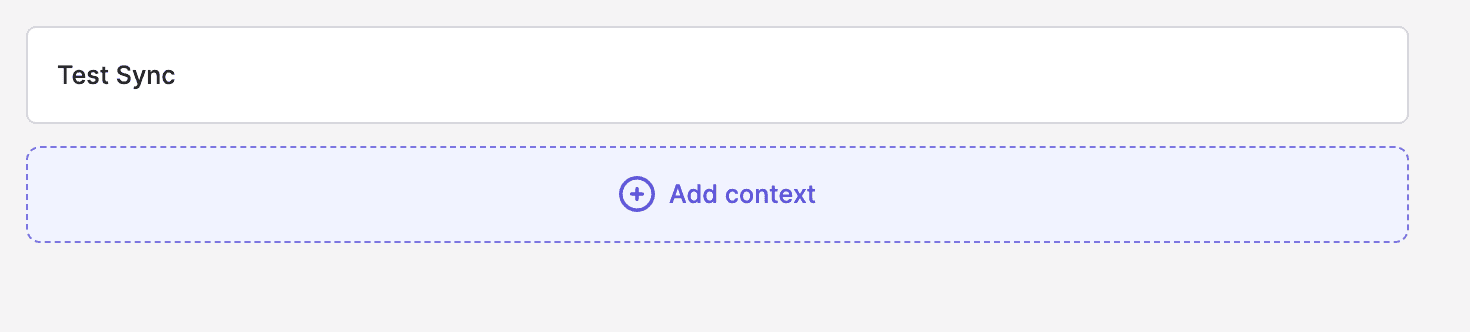
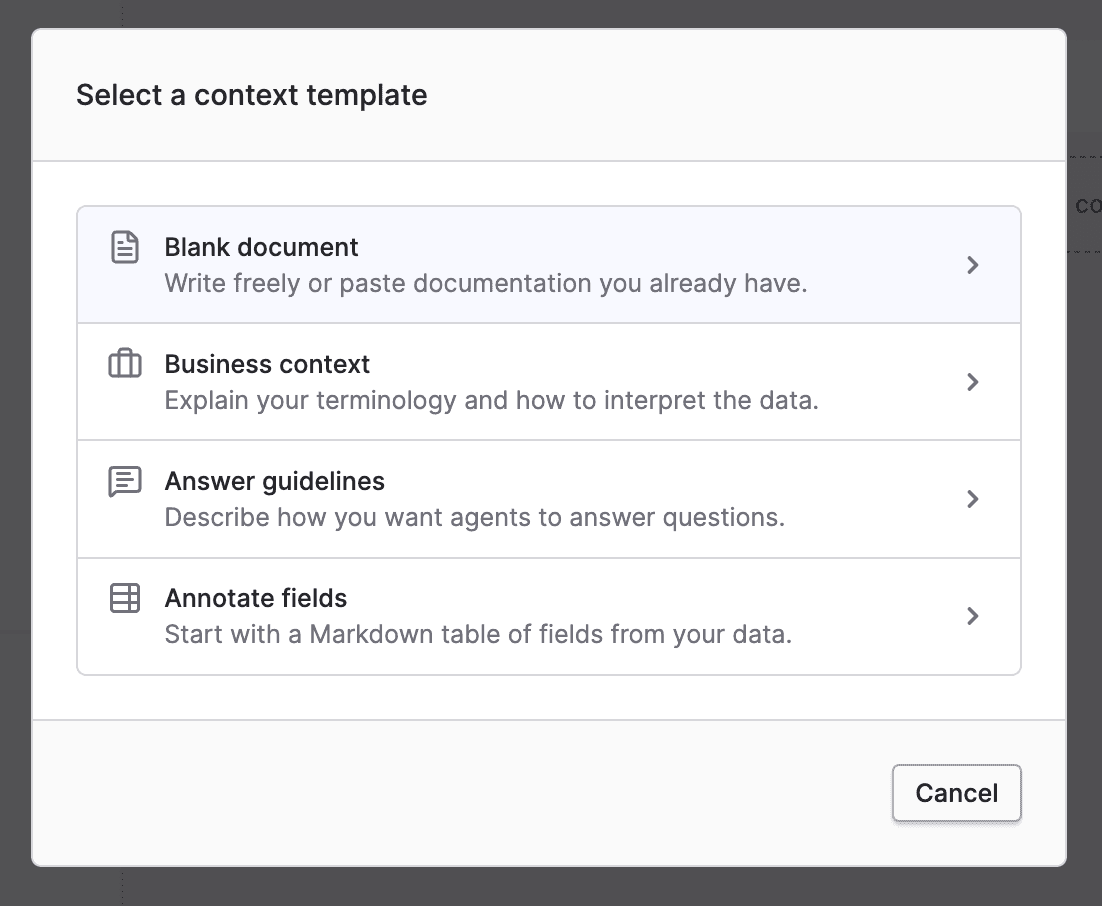
Every Harbor can include context documents written in plain language. These explain the data’s definitions, relevant business logic, procedures, and caveats so AI agents have guidance on how to use the information.
For example, a context document could explain which revenue figure to use in financial reporting, how the company defines an active customer, or which source takes precedence when records differ. Documenting these distinctions helps agents follow established guidance rather than fill gaps with assumptions.
Every AI agent connected to a Harbor receives its context automatically. Employees can use different AI agents while their agents draw on the same definitions and instructions, without having to repeat those explanations in each conversation.
Safely Expose AI Agents to Your Data Without Relying on Engineering
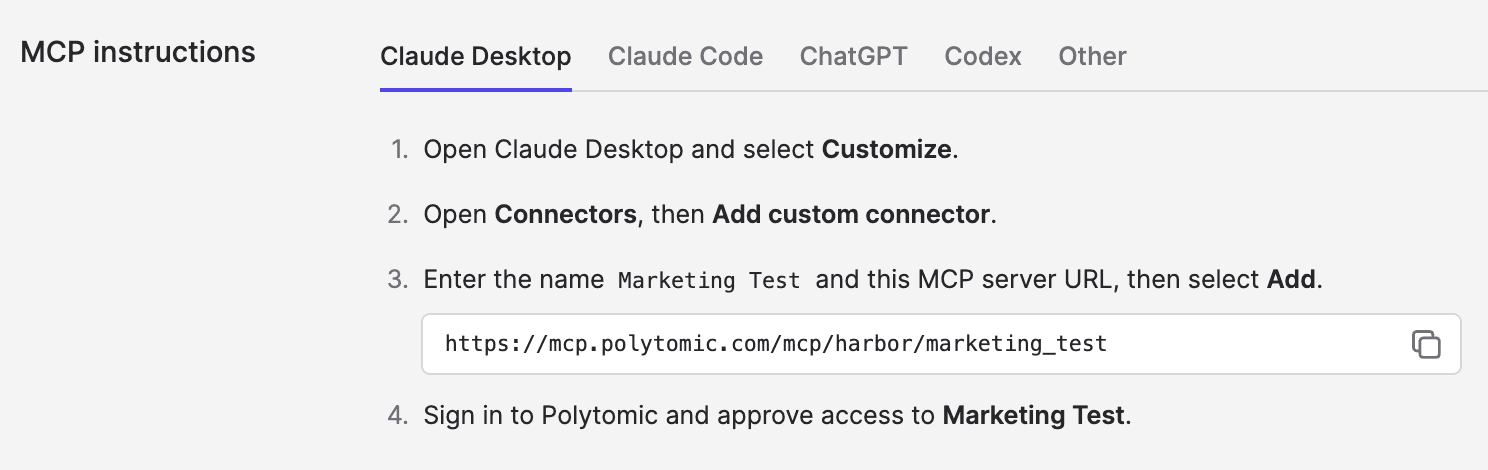
Polytomic’s no-code interface lets authorized users create Harbors, configure data syncs, add context documents, and manage access. You can also configure Harbors through Polytomic’s MCP server by simply describing what you want to do to your AI agent.
Polytomic provides the underlying storage, sync infrastructure, and agent connectivity, so teams do not need to build and maintain those components themselves.
Every Harbor comes with its own MCP server. Authorized employees can connect through an AI agent such as Claude or ChatGPT, then ask questions and execute permitted actions.
As requirements change, teams can add supported sources, adjust sync schedules, update context, and manage permissions through the same interface. This reduces the engineering work required to support AI workflows and gives teams a practical way to maintain the environments they use.
Start Putting Your AI Agents to Work With Polytomic Harbors
Companies can only move forward with AI enablement when they have a clear way to provide reliable information, govern access and actions, and maintain the environment without adding substantial engineering work. These foundations give employees useful ways to work with AI agents without relinquishing control.
Polytomic Harbors simplify the data syncing, context, and access management behind these workflows, so teams can get started and expand their use of AI agents as their needs evolve.
Book a demo to see how Polytomic Harbors can help your company with AI enablement.